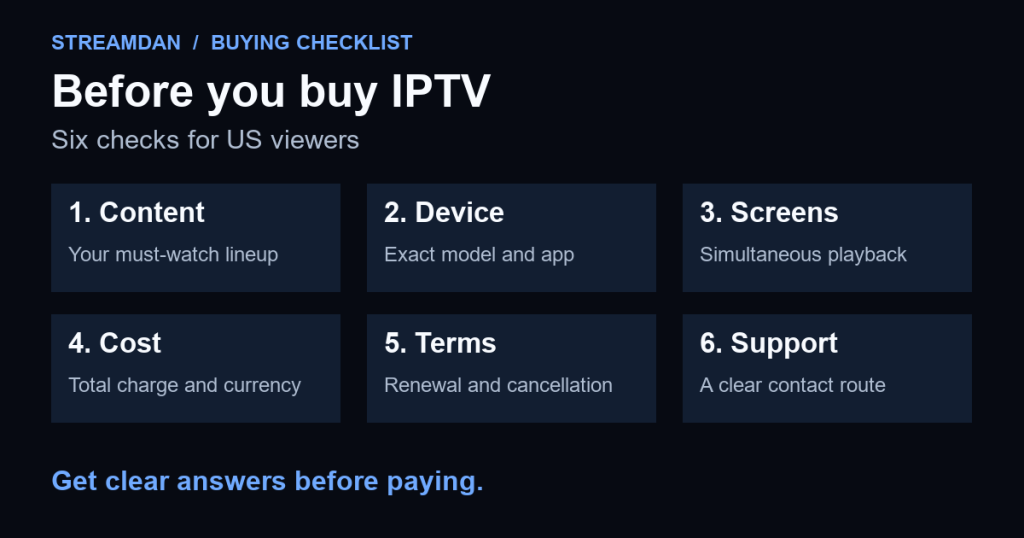
Before buying an IPTV subscription in the US, confirm the content you want, the exact app your device can use, how many streams can play together, and the full payment and cancellation terms. Get those answers for the specific plan you are considering. A large channel count or an app labeled “premium” does not answer those questions.
Use the checklist below to compare what you will actually receive. If a must-have requirement remains unclear, ask for clarification before paying rather than assuming you can fix it during setup.
Prepared by StreamDan with AI assistance from the linked documentation checked September 17, 2026. This is a buyer checklist, not a hands-on comparison or an endorsement of a particular service. Examples from other services illustrate what to verify; their terms do not establish StreamDan’s terms.
1. Separate the player purchase from the TV subscription
Start by asking what the payment buys: an app, access to programming, hardware, or a bundle. The distinction matters when an app opens successfully but contains no channels.
For example, the developer’s US TiviMate listing says its paid upgrade unlocks player features and does not supply channels or other media. That is a concrete example of a player purchase, not evidence that every IPTV offer works the same way.
Record who supplies the viewing account and who supports the app. If they are separate businesses, ask whether there is a separate app charge and whether the provider supports that app. Do not buy an extra player just because its name appears in an unrelated setup guide.
2. Check your must-watch content for your US location
Write down the channels, local stations or specific programs that would make the subscription worthwhile. Ask the service to confirm those items for your location and chosen plan, including whether an add-on is needed. For an event, give its name and date rather than asking only whether “sports” is included.
Location can be part of that check. YouTube TV’s network guidance, for example, directs viewers to check their home ZIP code and notes that available networks can differ at home and while traveling. This illustrates why a nationwide marketing statement is not a substitute for checking your own lineup; it does not establish another provider’s coverage.
Ask where the seller documents its authorization to offer the advertised programming in the US, and look for information you can independently verify through the relevant broadcaster or rights holder. A working app, a logo or a successful trial is not a licensing certificate. This checklist does not certify any provider’s rights.
3. Confirm your exact device, operating system and app
“Works on smart TVs” is too broad for a purchase decision. Send the model, generation and operating-system version of the screen or streaming device you intend to use. Request the exact app name, publisher and supported download source.
Amazon’s device table demonstrates why the model matters: it lists Fire TV Stick HD (2026) and Fire TV Stick 4K Select (2025) with Vega OS, while Fire TV Stick 4K Plus (2025) uses Fire OS 8. Do not assume an installation route for one model applies to another.
Use the device compatibility guide to gather the right details. Once compatibility is confirmed and you have an account, the all-devices IPTV setup guide explains the installation and login steps.
4. Ask about simultaneous playback, not just installed devices
Describe how your household will watch. For example: “I want the living-room TV and bedroom TV playing different channels at the same time.” Ask the provider whether that exact use is included and whether separate households or travel have additional restrictions.
Keep these questions separate: how many devices may have the app installed, how many can be registered to the account, and how many streams may play together. Ask how the service counts recording or multiview if you plan to use those features. Do not infer a connection allowance from the number of screens shown in an advertisement.
5. Write down the full cost and the exit terms
For a US purchase, record the billed currency as well as the amount. If an offer is shown in another currency, do not silently treat the number as US dollars. Ask about separate player charges, activation costs, optional add-ons and any applicable taxes or fees before comparing totals.
Check whether the subscription renews automatically, the renewal amount and date, and the steps to cancel. If a trial converts to a paid plan, record its deadline and set a reminder. The FTC’s subscription guidance recommends understanding trial and cancellation terms before signing up and keeping cancellation records.
Ask separately what happens to remaining access after cancellation and what the written refund policy covers. Do not assume ending renewal returns an earlier payment. If a sales message and policy page disagree, request a clear written answer before committing. Save the offer and terms you relied on.
6. Use an available trial to test your actual viewing routine
If the provider offers a trial, confirm its conditions first; this guide does not promise that a trial is available. Test on the device and network you intend to use rather than relying only on a demonstration video.
- Try your must-watch content and check picture, audio and captions where offered.
- Use the remote to browse the guide and change channels. Check whether the schedule is useful for your viewing.
- Test simultaneous screens only within the stated account allowance.
- Try playback during your normal viewing period, and note the device, time and any repeated failure.
- Ask support one specific compatibility or billing question and assess whether the answer resolves it.
A short successful test cannot guarantee future availability or uninterrupted playback. If the trial buffers, use the IPTV buffering checks to distinguish a channel problem from a device or network issue before drawing a conclusion.
Keep one comparison sheet for each offer
Use the same questions for every candidate so you compare equivalent requirements, not different marketing claims.
| Requirement | Record this answer | Pause if |
|---|---|---|
| Content | Must-watch items, plan, US location and any restrictions | Your essential content cannot be confirmed. |
| Device | Exact model, OS, supported app and download source | There is no supported installation route. |
| Screens | Allowed simultaneous streams and household rules | The answer only describes installed devices. |
| Payment | Currency, upfront total, separate charges and renewal | The complete charge is unclear. |
| Exit | Cancellation steps, access end date and refund terms | Written promises contradict each other. |
| Support | Verified contact route and answer to your test question | You cannot get a specific answer. |
You can adapt this message for the provider:
I am in the US and plan to watch on [device model and OS]. My must-watch content is [list], and I need [number] streams playing at once. Please confirm the supported app, availability for my location, total charge and currency, renewal terms, cancellation steps, refund policy and any trial conditions. Please also point me to the relevant written terms.
For StreamDan-specific questions, send your requirements to StreamDan support before purchasing. Keep your comparison sheet and proceed only when the answers meet your needs.